Essential Review: Sphero Robotic ball for Android

The hardest bit about reviewing Sphero, is actually being able to describe what it is. To call it just a plastic ball is the same as referring to a tennis racket as just a piece of plastic. Its all about how you use it that really brings the fun to life.
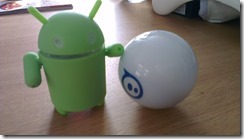 What is it really?
Two shakes of the Sphero, brings it to live. I can gently feel the vibration of the internal bits whizz to life and it immediately starts shining its “name” in colours, flashing red, white, red. Its ready to go! Tapping on my Sphero app, the ball flickers to live and I jam the control forward and see it take off down the office corridor at huge speed. This is when I realise that I am rubbish at remote control and in the vain attempt to turn it round, I sent it crashing into my friend Carol’s handbag which elicits a squawk of surprise. Clearly she was not expecting this morning to be run over by a remote controlled robot. What fun! I have got to try this at home!
The premise behind Sphero is simple:
Remote Control+ Multiple Apps+ minicomputer+plastic ball+ sensors + ability to change colours= a lot of fun+ more
 Lots of fun
and its this simplicity that really makes it fun. Once you pick up the app, and start driving your Sphero round the room, the skill game becomes the thrill as you do your best to navigate round, desks chairs (and in my case) babies and their toys. It took me about 20 minutes before I got going properly, but once I did I was doing all sorts of crazy turns and wacky spins.
Controlling the Sphero
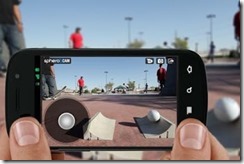
There are a few ways to control the toy, you have a blue circle which you can gesture around using your thumb which will turn and move the the sphero around the room. Handily the Sphero has a blue LED tail light so if you are trying to do a tricky maneouver (such as moving along a tv desk, you can easily make sure its going to move in the right direction. For those of you brave enough, you can switch the app to use your phone’s gravitational sensor which really gets the adrenaline going when racing at full speed.
Developer Smart
Once of my favourite tricks I loved was the “Macro” mode, which allowed you to tap and make the sphero do all sorts of tricks and shapes. This simple application belies the real potential that is the Sphero, in that its programmable. Anyone with a bit of programming experience can create some really cool things with it. I already can’t wait to build an app or game for android.
Lots of Games
Because Sphero are so developer focused there are already a lot of really great games on the market and the list is growing. The majority of the games are still IOS based, but there are lots coming up on Android already.